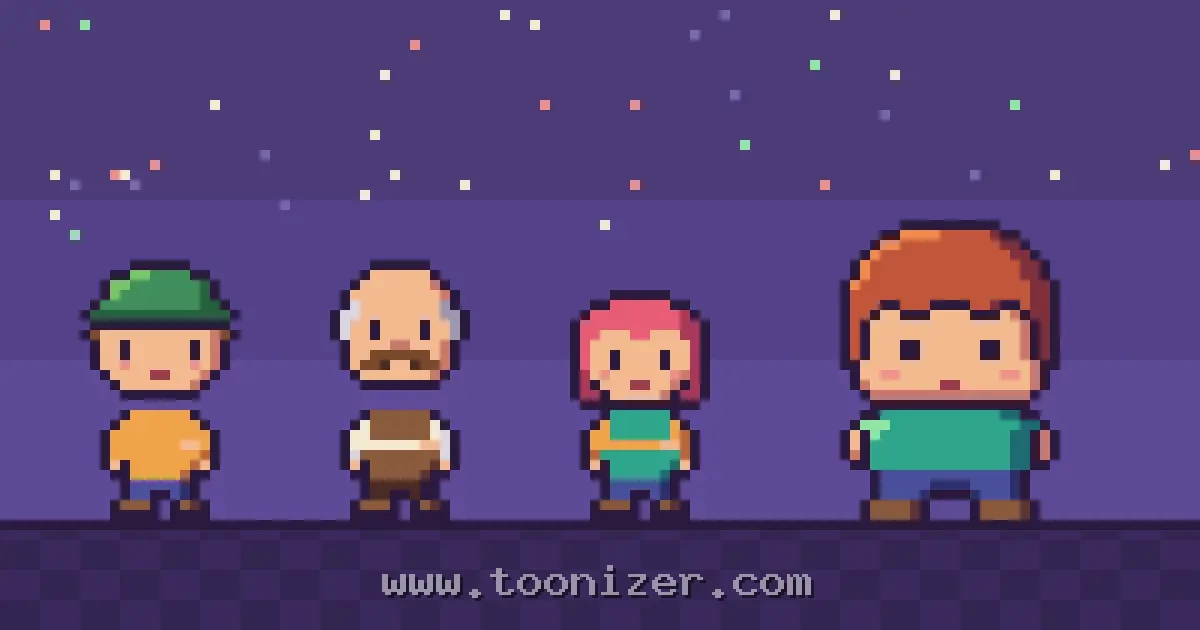
Early video game characters often wear caps, have mustaches and dress in strongly contrasting clothes. It is easy to read these as style choices, but many of them started as practical fixes. When a character has to fit into a grid of 16 by 16 pixels, every detail has to justify its place, and some details simply cannot be drawn.
The best-known case is Mario. In Donkey Kong (1981) he was drawn on a 16×16 grid, and Shigeru Miyamoto has explained that his cap, mustache and overalls were answers to the limits of the arcade hardware rather than a costume idea. The same kind of thinking shows up across early games, and it is still useful for anyone drawing small characters today.
All the characters in this article are original drawings made for Toonizer, so the tricks can be shown on their own, without borrowing anyone’s famous design.
1. A cap instead of hair
Hair is one of the hardest things to draw at very small sizes. Loose strands turn into scattered dots, and when the character moves, the hair has to be redrawn in every frame. A cap replaces all of that with one solid shape that has a clear outline and stays the same while the character runs or jumps.

Helmets, hoods and hats do the same job. They give the head a recognisable outline and leave the remaining pixels for the face.
2. A mustache instead of a mouth
On a face that is only a dozen pixels wide, a mouth is one or two pixels. It is hard to see, and it tends to merge with the nose. A mustache is a bigger block of colour that marks the lower half of the face, separates the nose from the chin and suggests an expression without needing a mouth at all.
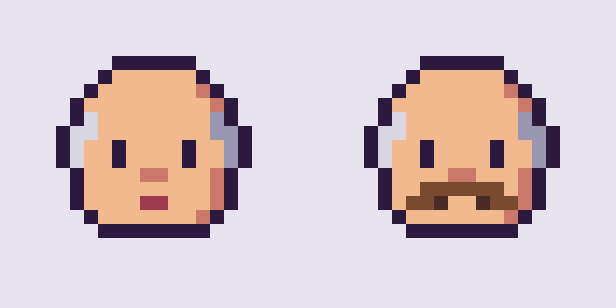
Beards, scarves and masks were used in a similar way. Each one turns a small, fiddly detail into a larger shape the eye can find quickly.
3. Contrasting clothes so the arms show
Many early sprites had no room for an outline inside the body. If the arm and the shirt are the same colour, an arm moving in front of the body simply disappears. Giving the sleeves and the torso different colours solves this: the arm becomes visible as a stripe across the body, and running or climbing animations read much better.
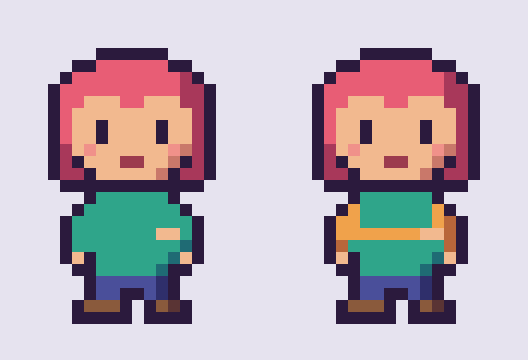
This is the reason for Mario’s overalls and different-coloured shirt. A vest, an apron or a jacket over a shirt works the same way.
4. Very few colours per character
Hardware did not only limit size. On the Nintendo Entertainment System, each sprite was built from small 8×8 tiles, and each tile could use only three colours plus transparency. Designers had to choose carefully: usually one dark colour for outlines and hair, one skin tone, and one colour for clothing.
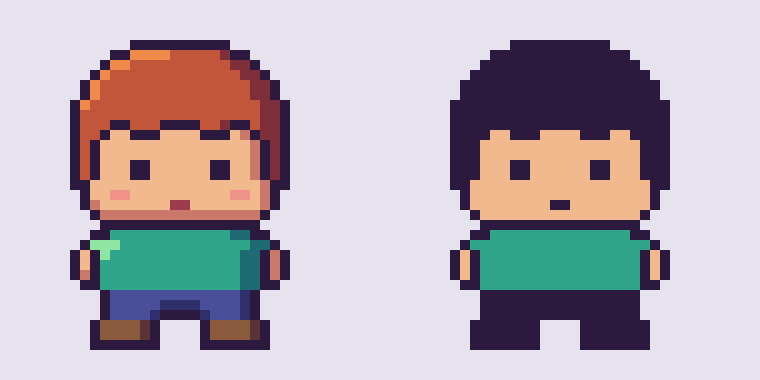
A common solution was to merge the hair with the outline colour, as in the three-colour version above. Another was to stack several sprites on top of each other to get more colours, which cost extra sprites that could have been used for enemies or effects.
5. Big heads and short bodies
With realistic proportions, a 32-pixel-tall person has a head about four pixels wide. There is no space left for eyes that read as eyes, let alone an expression. Making the head take up a third or half of the body gives the face room to work, which is why so many small game characters look like children or toys.
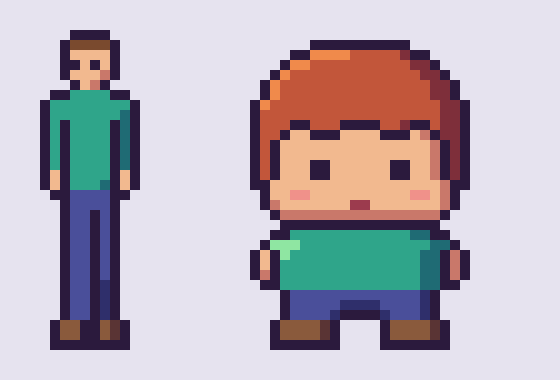
Simple, round shapes helped in the same way. Pac-Man is close to the extreme: a circle with a mouth, readable at a glance even in a crowded maze. His name comes from “paku paku”, a Japanese expression for the sound of a mouth opening and closing.
Why these tricks still matter
Modern screens have no real limit on resolution or colour, but pixel artists still draw at small sizes on purpose, and they run into the same problems. A cap is still easier than hair, contrasting sleeves still make an animation clearer, and a short palette still holds an image together. What started as a workaround has become a set of habits that make small characters readable.
If you want to try drawing your own, the beginner’s guide to pixel art characters goes through canvas size, palette, outline and shading step by step. To experiment without drawing, the Pixel Character Maker lets you combine hair, hats and clothes and see how each choice changes the result. And for the season, the Pixel Christmas Card Maker uses the same small, simple style.
0 Comments