AI Pet Portrait Generator
From Photo to Cartoon
Upload a photo of your dog, cat or rabbit and get a cartoon portrait in about twenty seconds. It runs in your browser, keeps the markings that make your pet recognisable, and downloads clean — no watermark, no install, no credit card.
Eight prompts that actually work
These are the wordings we kept after testing them against a few hundred pet photos. Tap one and it loads straight into the box above. Swap the animal name for yours.
Real photos, real output
Every pair below came from an ordinary phone photo, run once with no retouching. Nothing here is a cherry-picked studio shot.
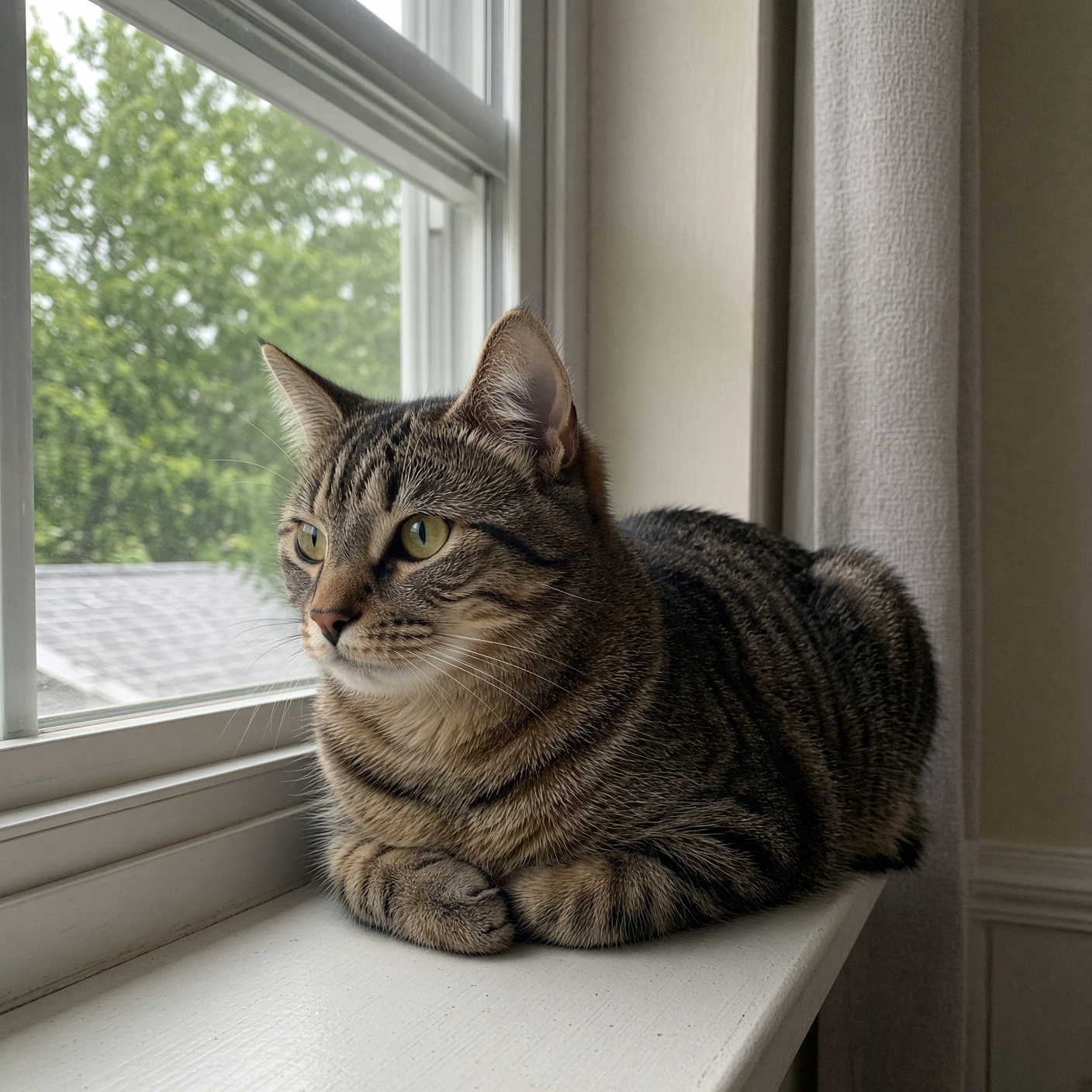
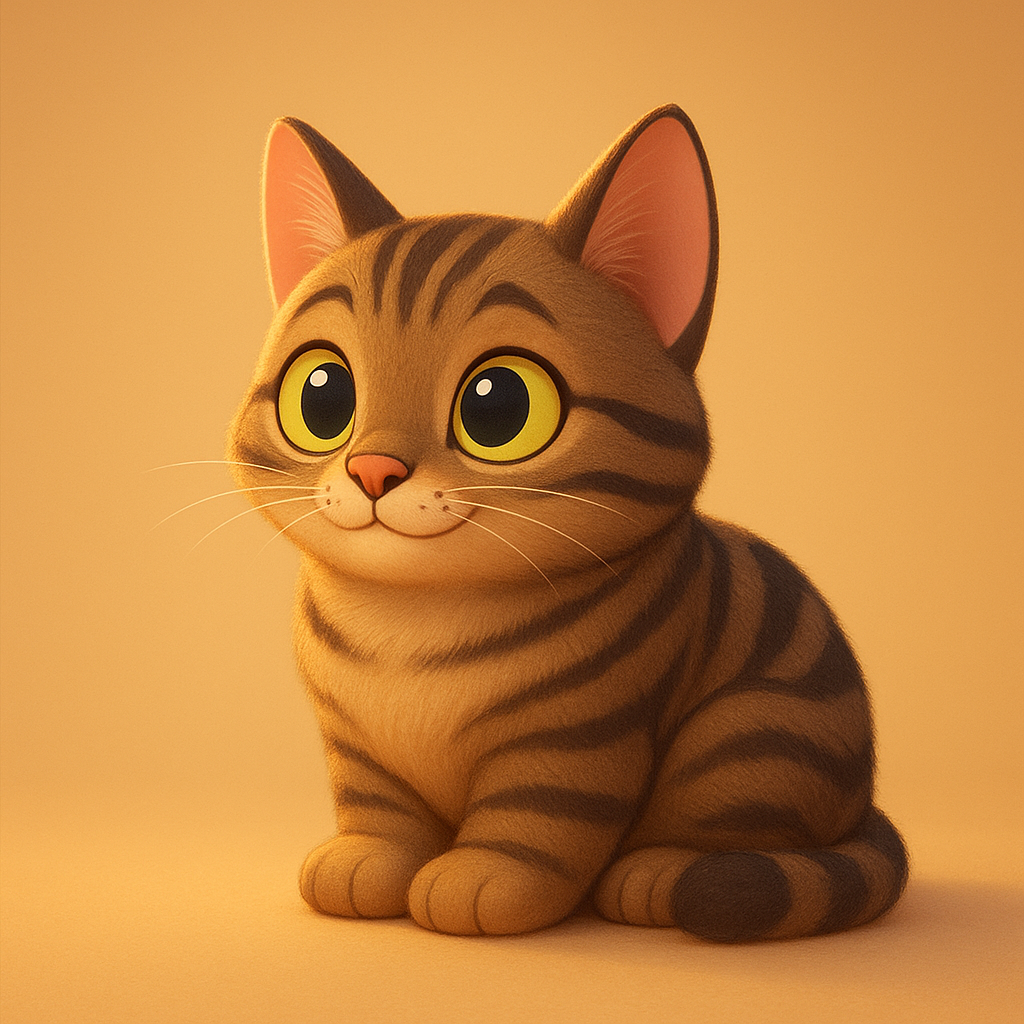
Soft 3D. Window light from the side. The stripe pattern survived, the whisker detail did not.
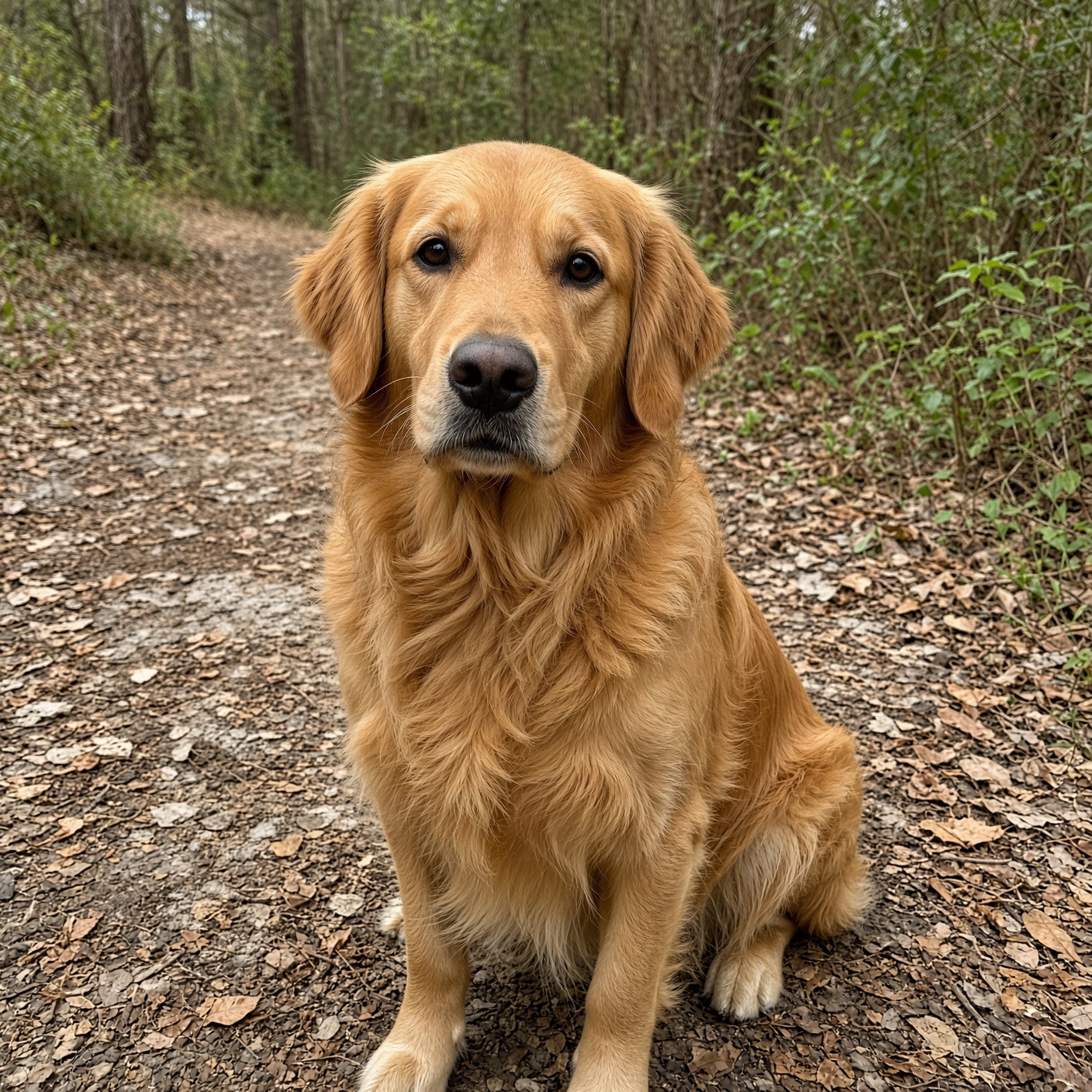
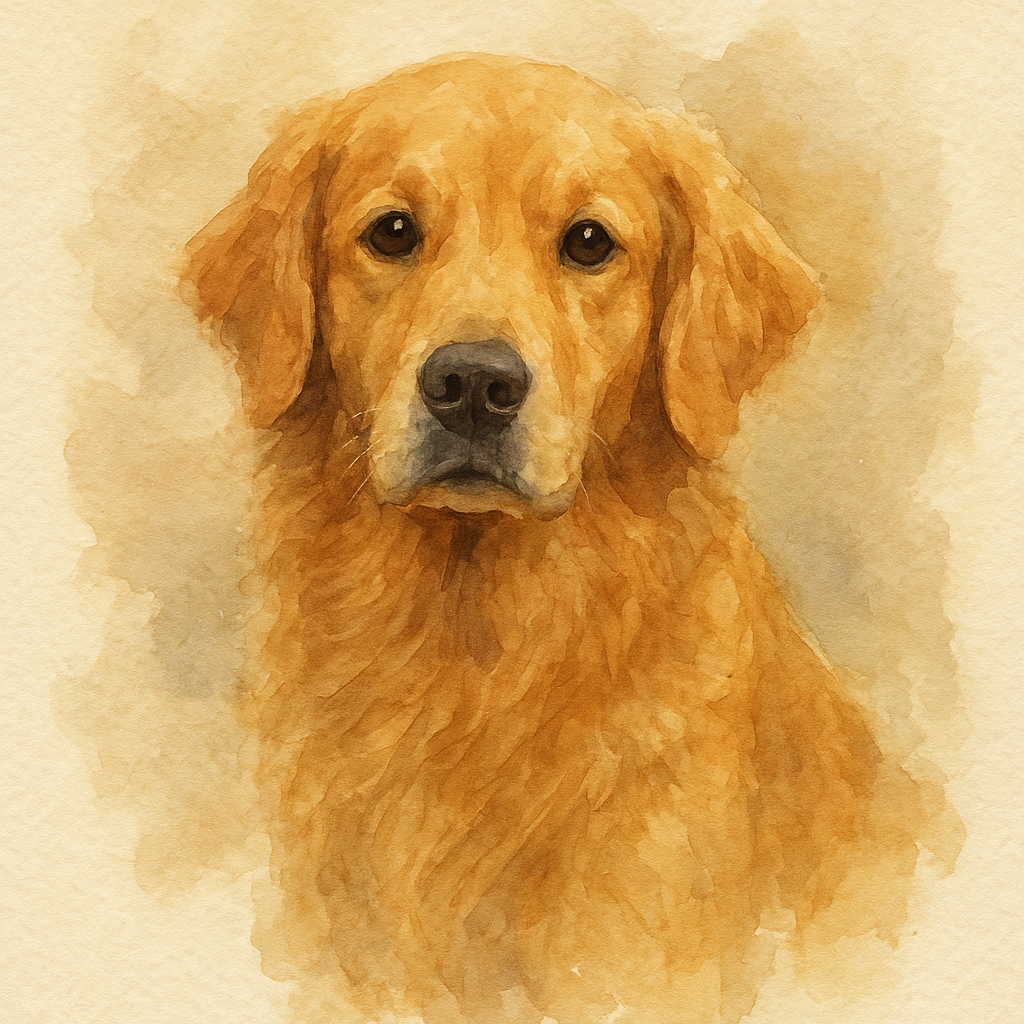
Watercolour. Long coats hold up better in this style than in flat line work.
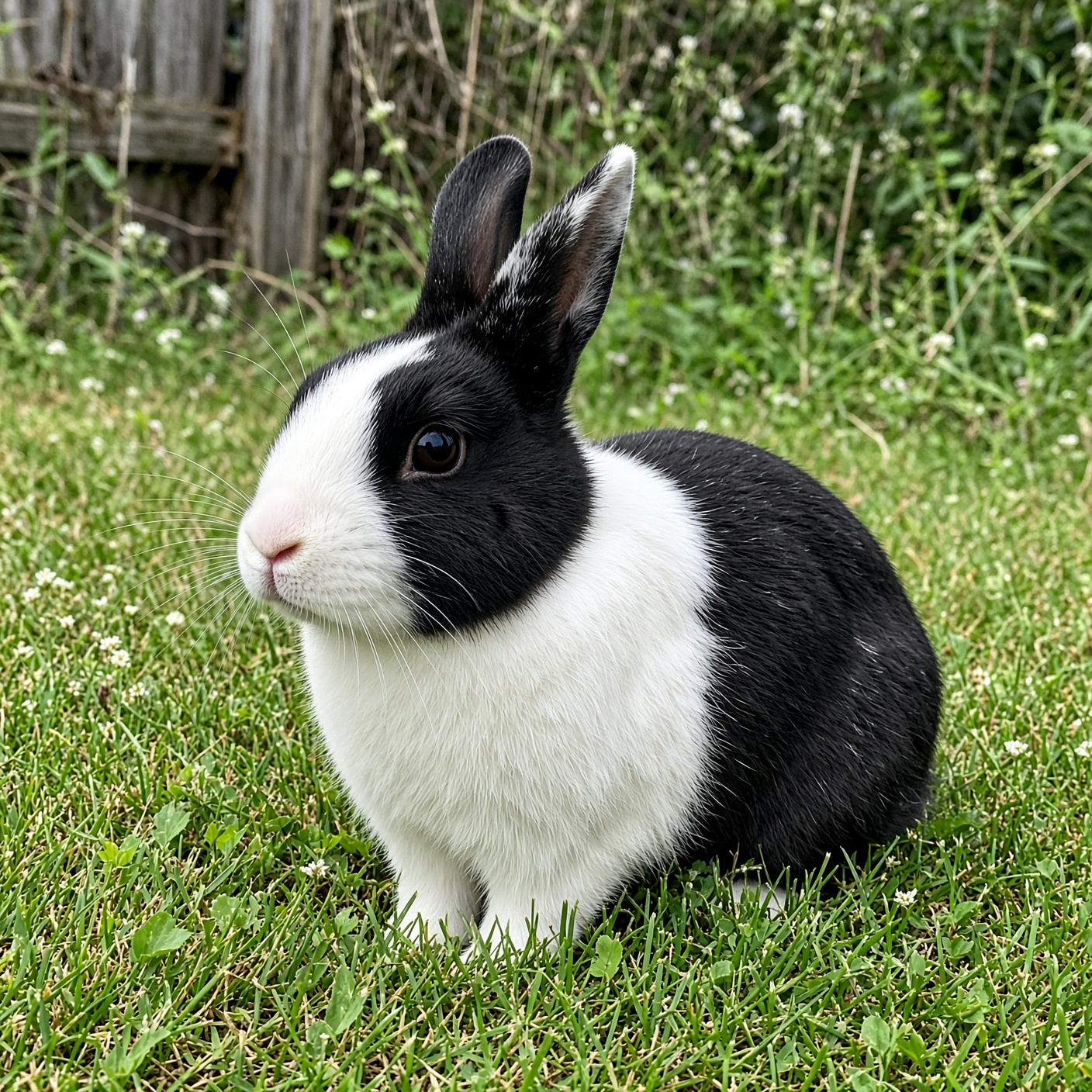
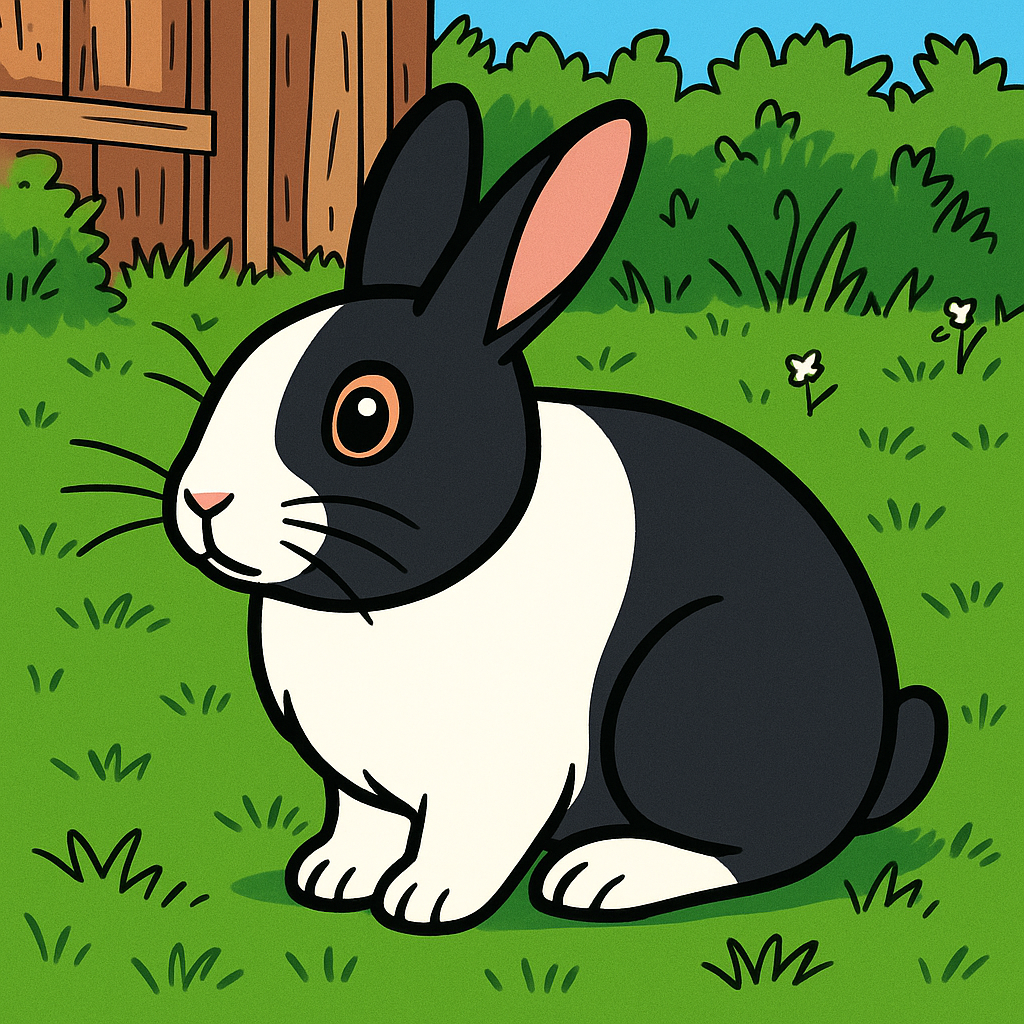
Bold Outline. High-contrast markings are what this style needs.
Why some pet photos cartoonise and some don’t
A cartoon portrait is a compression problem. The model has to throw away almost everything in the photo and keep the handful of features that make the animal recognisably yours. If those features aren’t clearly visible in the source, there is nothing to keep.
In practice three things decide the result, and none of them is photo quality in the usual sense.
1. Edge contrast, not resolution
A slightly blurry photo in good light beats a sharp photo in dim light. The model reads boundaries — where the ear stops and the background starts, where a white patch meets dark fur. Flat, even lighting erases those boundaries. Side light creates them.
2. Face angle
Roughly three-quarter view is the sweet spot: both eyes visible, muzzle turned slightly away. Dead-on symmetry tends to produce a stiff, mask-like face. Full profile loses one eye and the result reads as a different animal.
3. How much of the frame the animal fills
Aim for the head and shoulders to take up around half the frame. Too far away and the face gets reconstructed from very little information — that’s when you get a generic dog instead of your dog. Too close and ears or muzzle get cropped in ways the style can’t recover.
Species differences
| Animal | Reliability | Watch out for |
|---|---|---|
| Dogs (medium muzzle) | Very good | — |
| Cats | Very good | Tabby striping gets simplified |
| Flat-faced breeds | Mixed | Anime style exaggerates the flatness oddly |
| Rabbits, guinea pigs | Good | Ear position often shifts |
| Horses | Good | Needs more frame than you’d expect |
| Parrots, small birds | Fair | Plumage colour drifts |
| Reptiles, fish | Weak | No face structure for the model to hold on to |
What reliably fails
- Black or very dark pets photographed indoors at night
- Two animals overlapping in one frame — features blend
- Photos taken through glass or a cage — reflections become artefacts
- Heavy phone portrait-mode blur — the model treats the fake bokeh as real depth
- Pets wearing costumes with faces on them
If your first attempt looks generic, retake the photo near a window before trying a different style. The source almost always matters more than the prompt.
Before your first upload
Is it free?
Yes. A free account includes a daily allowance of portraits. No credit card is needed and downloads carry no watermark.
Which pets work best?
Dogs and cats are the most reliable. Rabbits, guinea pigs, horses and parrots also work. Reptiles, fish and insects are unpredictable — their faces lack the eye-nose-mouth arrangement the model reads as a face.
Will it keep my pet’s markings?
Usually, for distinct high-contrast markings — a white chest patch, a dark mask, heterochromia. Subtle tabby striping and merle patterns are the ones most often simplified.
Can I upload two pets in one photo?
You can, but the model tends to blend features where the animals overlap. Generating each separately and combining them afterwards gives a cleaner result.
Can I print it?
Output is 1024×1024 pixels. That prints cleanly up to roughly 10×10 cm at 260 dpi, and is comfortable for any screen or social use. Upscale the file first if you want a larger print.
Can I sell products made from it?
Usage rights are set out in the terms of service. Review them before using generated images in commercial work.